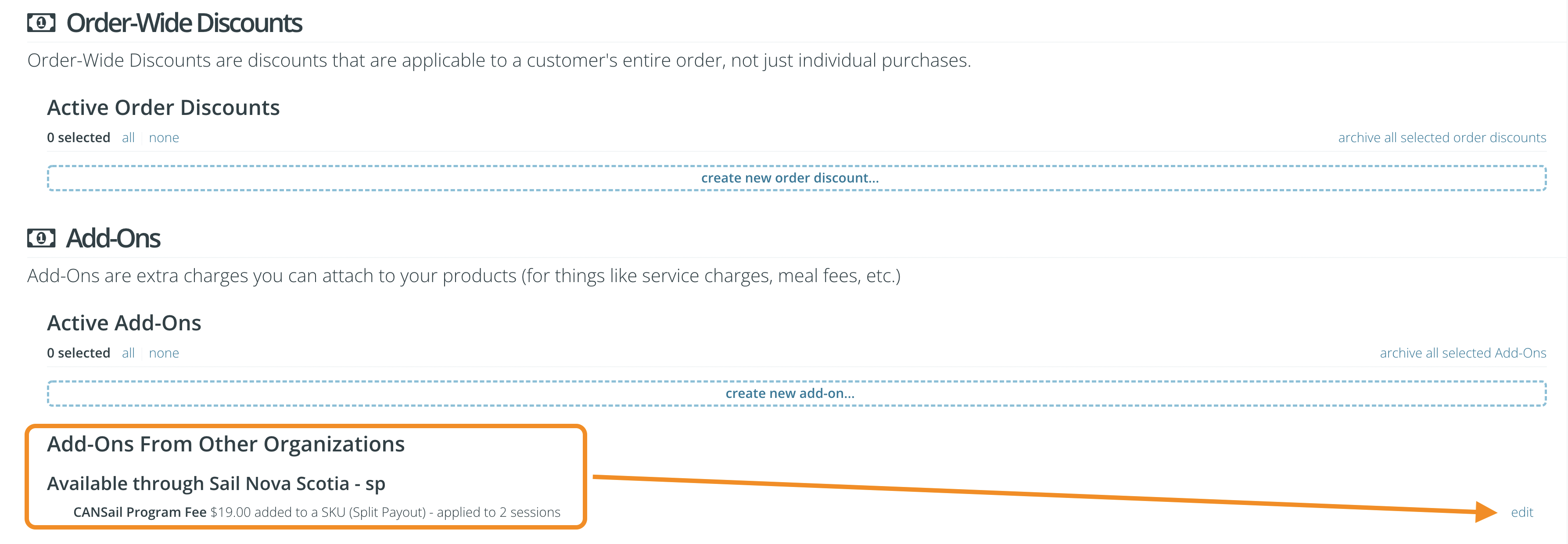
Go to the Options page of the Storefront tab and scroll down to the Add-ons section .
Image – Additional modules from other organizations
3. Scroll down to the Add to other organizations section and you will notice the supplement available from your provincial sailing association.
4. Click on Edit to the right of the add-on.
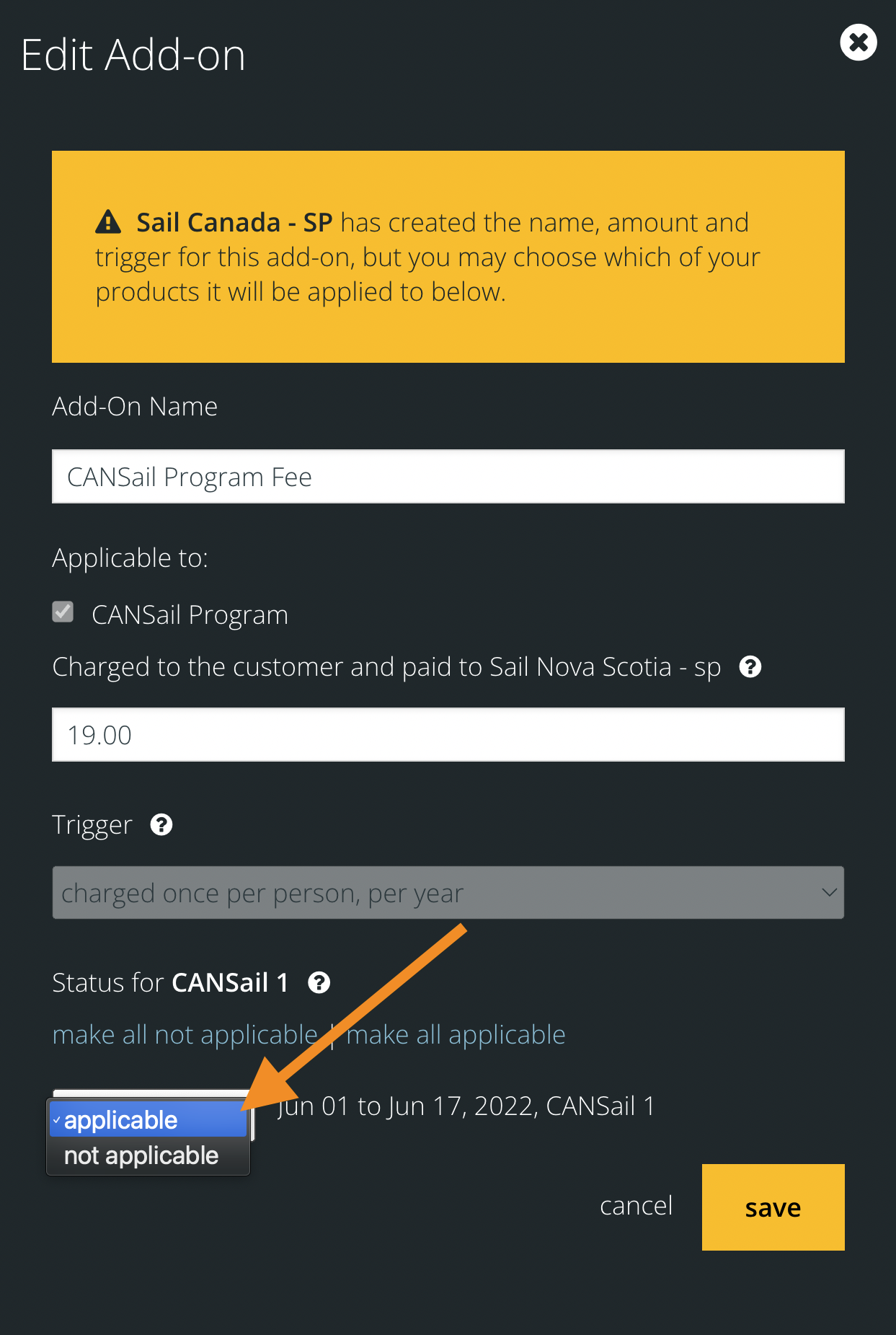
5. In the dialog box that appears, you will not be able to change the add-on name, price, or trigger.
6. At the bottom of the dialog box in the drop-down menu, you will want to make the add -on applicable to any course for which you want to charge participant fees.
Img – Additional editing module
NOTE: Remember that even if you apply the add-on module to multiple courses, this add-on module will only be charged once per person during the calendar year.
Ready to configure the add-on? Log in below to get started.
If you encounter difficulties configuring your add-on as part of your service, you can configure screen sharing with Checklick here or contact support at [email protected] .